Features
Your website, email list, emails, bookings and shop in one place. Here’s everything each part can do.
Inbox
Everything that comes in, in one list
Messages, bookings, orders and blog comments arrive in one Inbox. Your team sees what’s new, who handles it and what’s done.
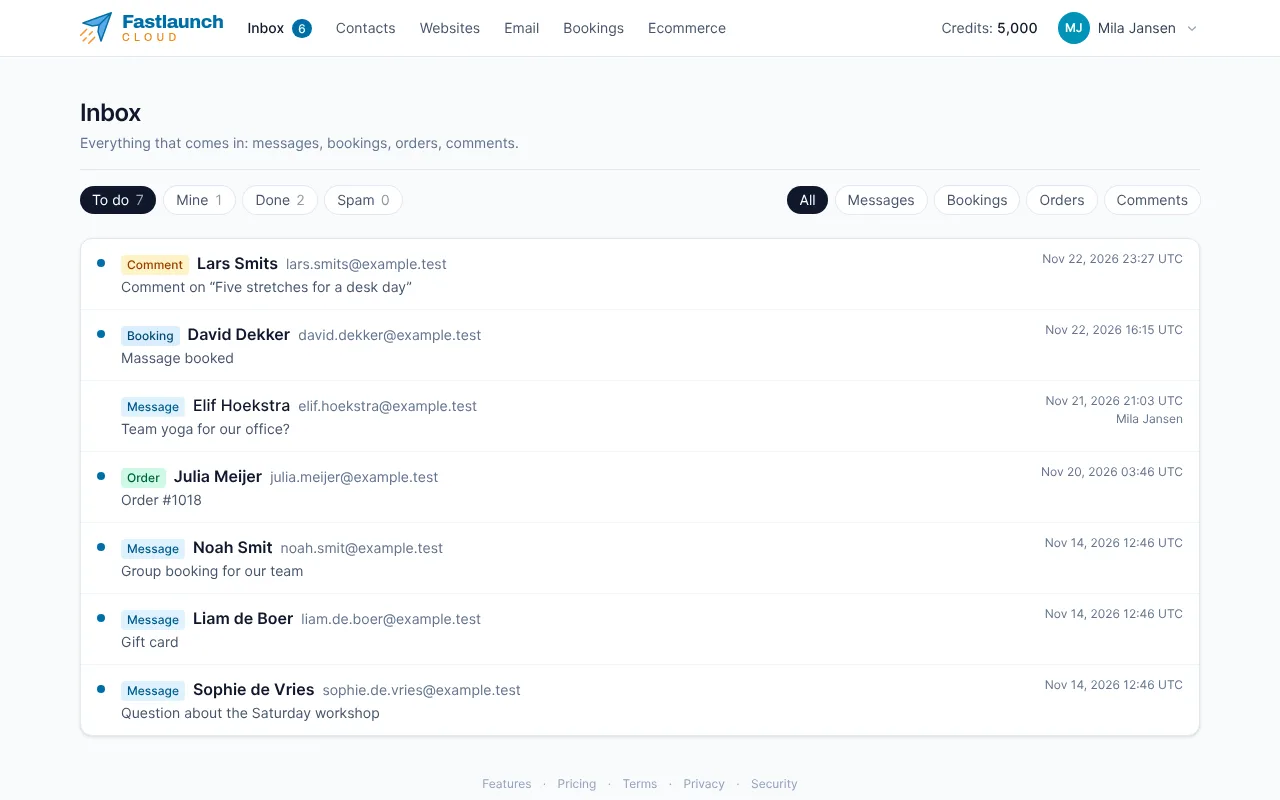
What lands in it
- Contact form messages
- Every answer from the form, the page it was sent from, and a reply that goes straight to the sender.
- Bookings
- New and paid bookings, and the ones visitors move or cancel themselves.
- Shop orders Ecommerce plan
- Each order the moment it’s placed, with a link to ship or refund it.
- Blog comments
- Approve, unpublish or mark as spam, and reply under your own name.
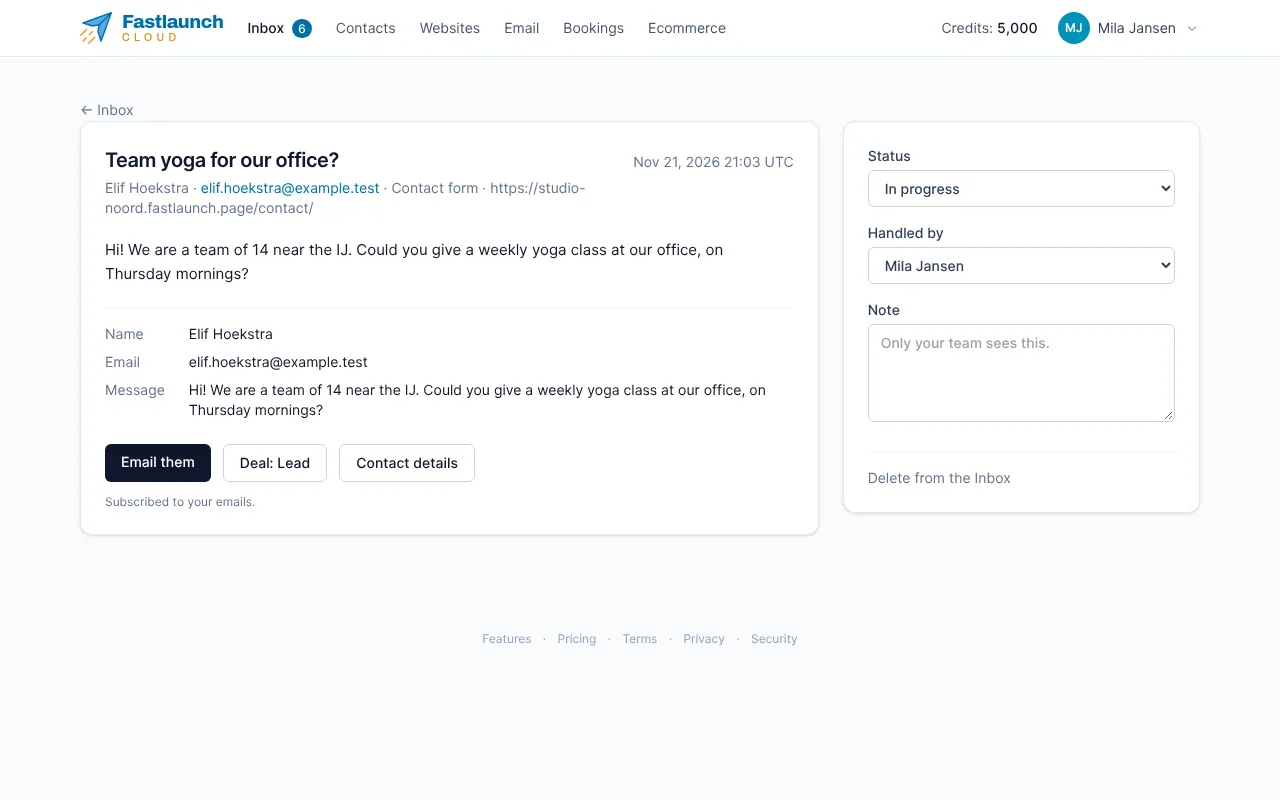
Working through it
- To do, Mine, Done and Spam
- Tabs for each status, plus a filter by kind.
- Who handles what
- Each item has a status, the person handling it and a note. Opening a new item marks it in progress.
- Email alerts
- The right people get an email when something new comes in. An order picker hears only about orders.
- Straight to your pipeline
- Turn a message or booking into a deal with one click.
Contacts
Your people, with proof of every opt-in
One list for subscribers, customers and everyone who got in touch. Each contact shows how they joined and what they agreed to.
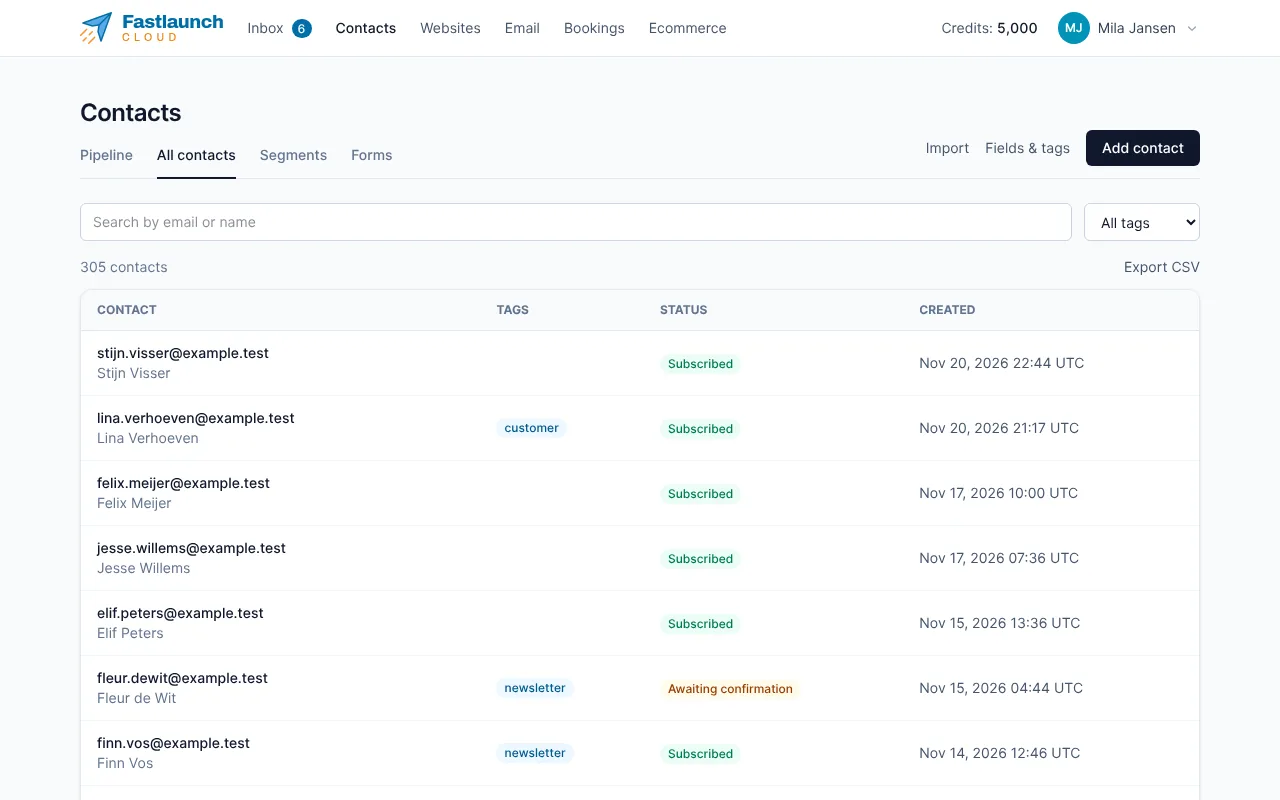
Your list
- Unlimited contacts
- Name, email, birthdate and as many custom fields as you need.
- Tags and segments
- Group contacts by fields, tags, opt-in status, orders, amount spent, events or pipeline stage. Segments update by themselves.
- Consent records
- Every opt-in keeps its source, time, IP address and the exact wording people agreed to.
- Double opt-in
- A confirmation email you design yourself, sent from your own address.
- Import and export
- Upload a CSV and match its columns. Column names from other email tools are recognized.
- A clean list
- Addresses that bounce are skipped from then on. Spam complaints unsubscribe the contact.
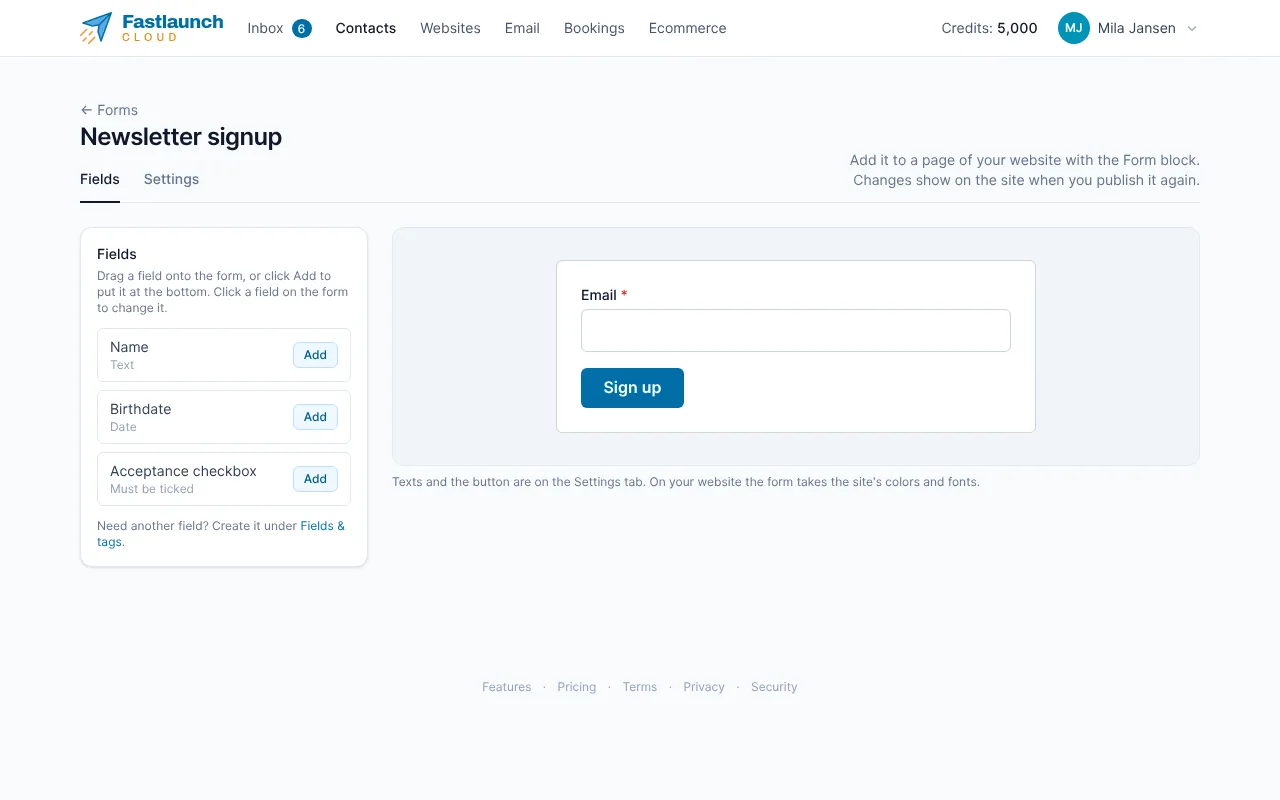
Forms
- Signup and contact forms
- Design the fields once, in rows of up to three, and add the form to any page.
- Your rules for returning contacts
- Choose whether a signup updates fields, adds tags or replaces them.
- A thank-you page of your choice
- Send people to any page after they sign up, such as a download page.
- Spam protection
- Every form has Cloudflare Turnstile and a hidden trap field. Real visitors see nothing extra.
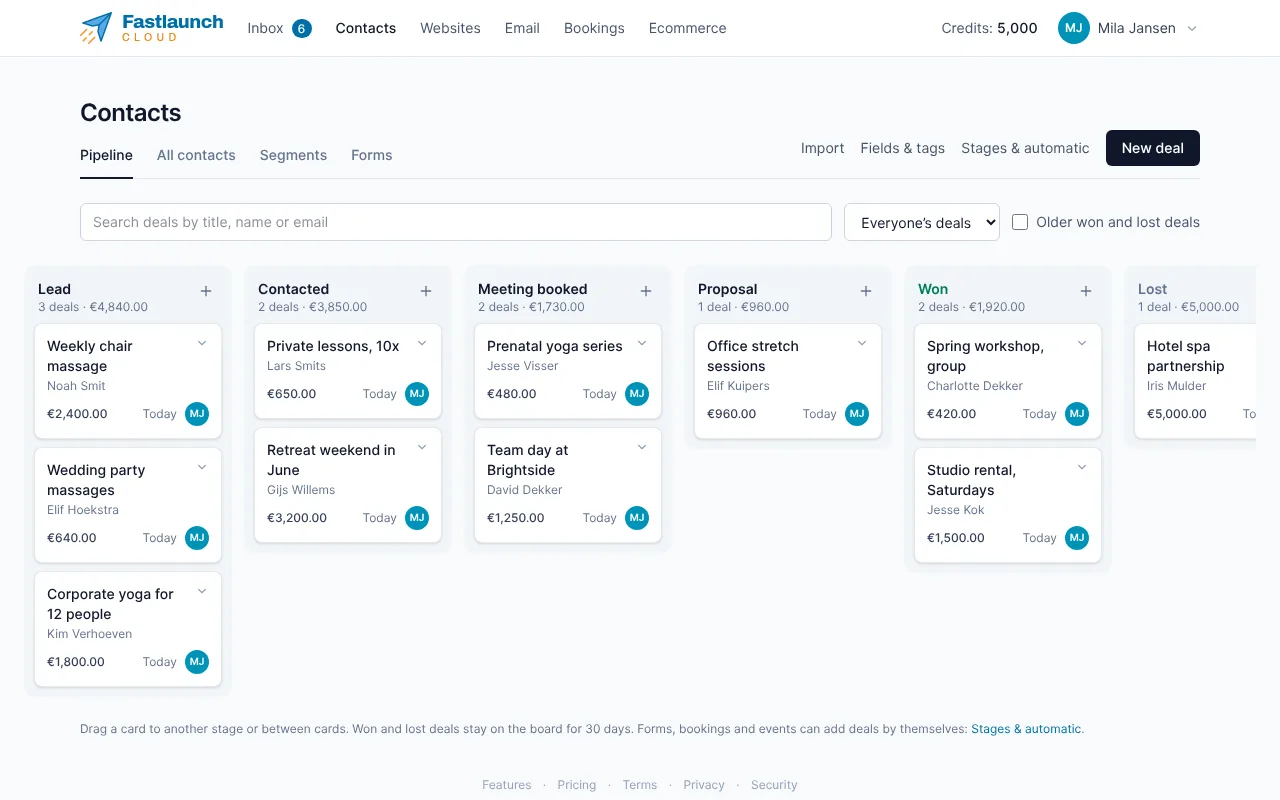
Pipeline
- A board of deals
- Drag deals between the stages you name. Each deal has a value, an owner, a note and its history.
- Automatic moves
- A form, a booking, a cancellation or an event can move a deal or start a new one.
- Won and lost
- Closed deals leave the board after 30 days and stay on the contact’s page.
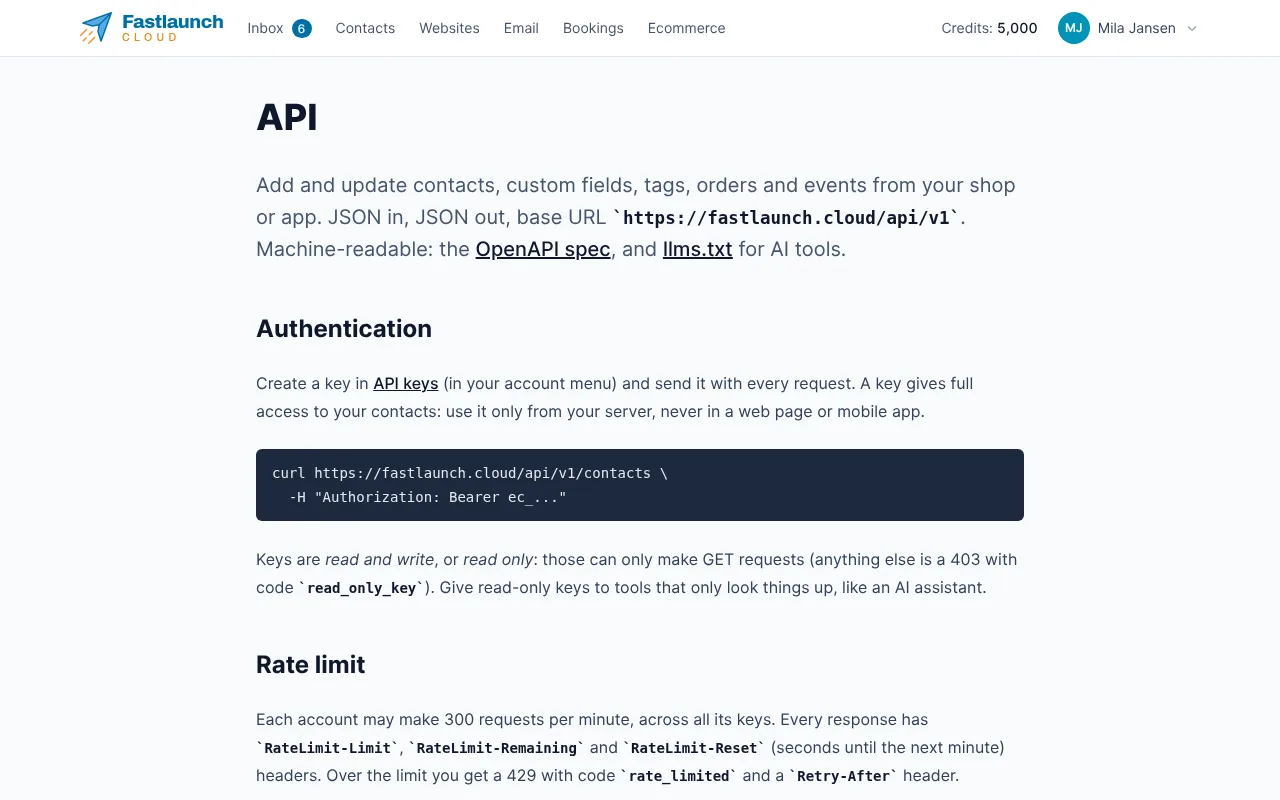
API
- An open API
- Add contacts, fields, tags, orders and events from any other tool. Keys can be read-only.
- Documented
- A guide, an OpenAPI file and a page for AI tools. Read the API guide.
Websites
A website you build by dragging blocks
Start from a template, type on the page itself and publish in seconds. Your site is a set of fast static pages.
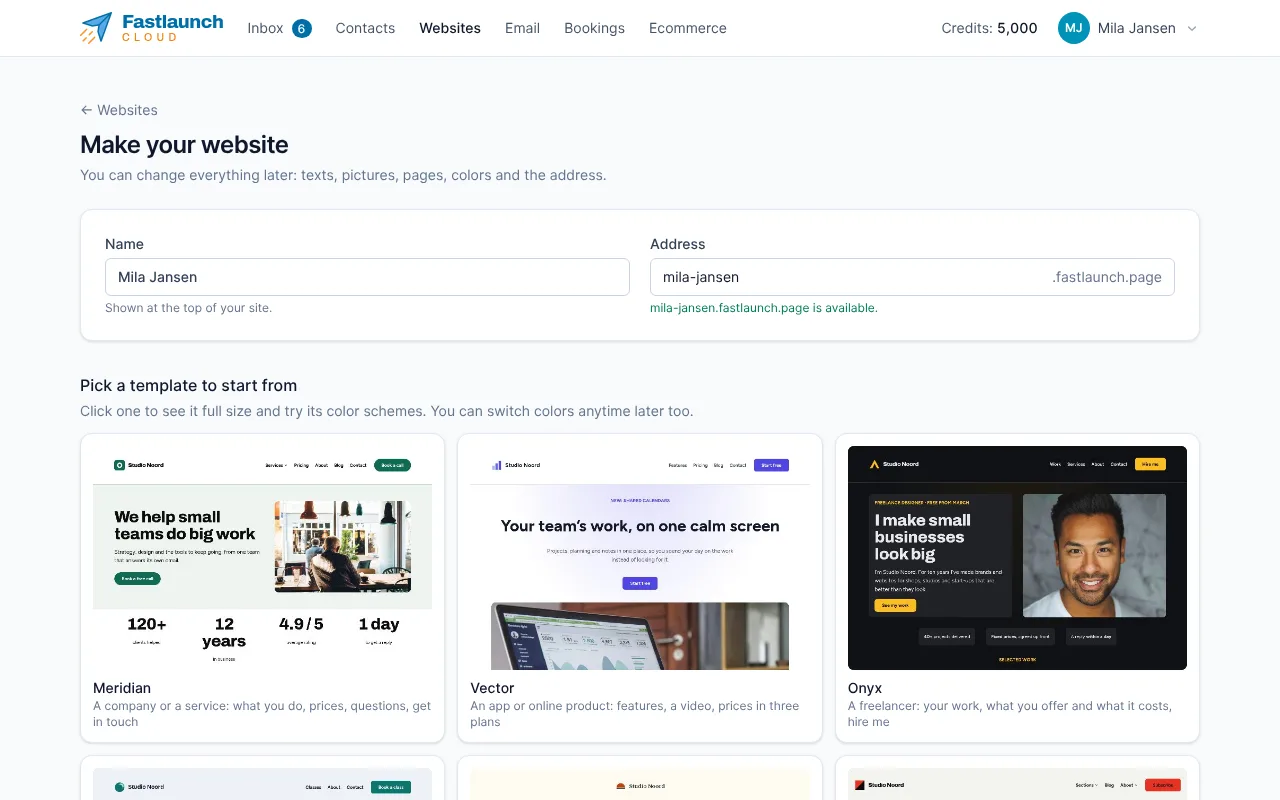
Templates and looks
- 8 website templates
- For a company, an app, a freelancer, a studio, a blog, a magazine, a newsletter and a shop. See the templates.
- 8 landing page templates
- Ready-made sales funnels: a free guide, a booked call, a product, a waiting list, a course and more.
- 9 color schemes
- Switch the look of the whole site in one click, or set your own colors and gradients.
- Any Google font
- Fonts load from our own servers, so your visitors’ data never goes to Google.
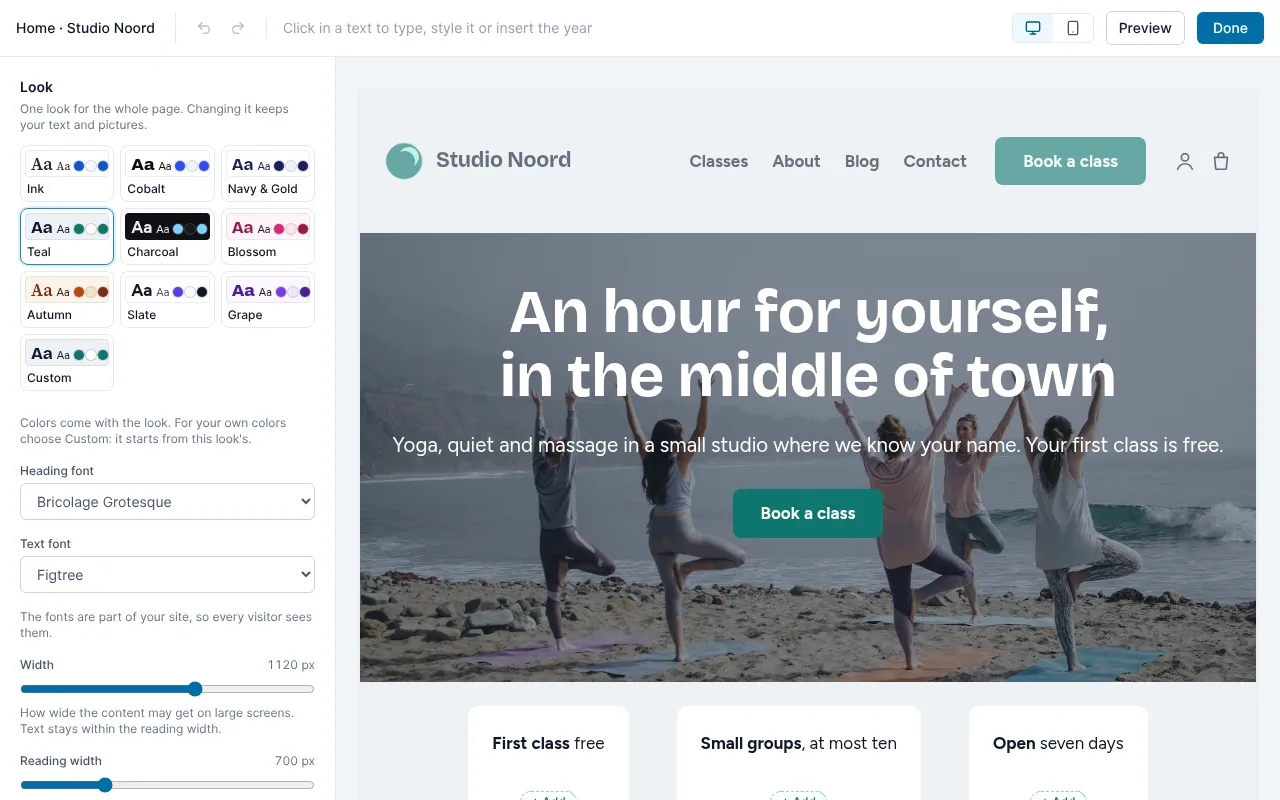
The builder
- Type on the page
- Text is edited where it appears. The panel holds only links, pictures and layout.
- Columns
- Up to five side by side, in the proportions you choose, with a background picture if you like.
- 35 kinds of blocks
- Heroes, pictures, videos, testimonials, questions, countdowns, social links, forms, bookings, products and more.
- Undo and redo
- Step back through your last 100 changes, kept for 30 days.
- Phone view
- See exactly how each page looks on a small screen.
- Custom code Blogger and up
- Add ads, analytics or a chat widget with your own HTML and JavaScript, on your own domain. It’s checked as you type.
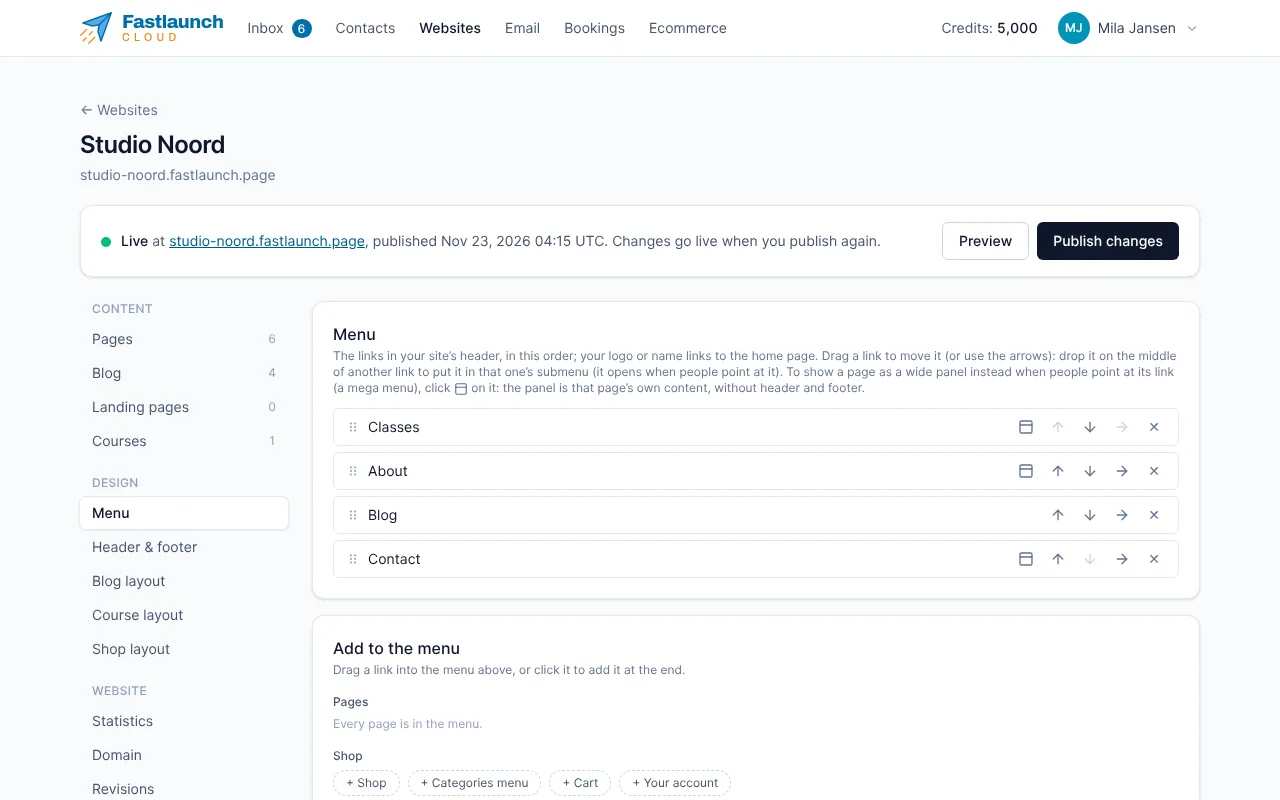
Pages and menus
- Unlimited pages
- Pages, landing pages without a menu, and blog posts.
- Menus with submenus
- Drag items into place. A top item can open a large panel with its own blocks.
- A header that stays
- Keep the menu at the top of the screen while people scroll.
- Breadcrumbs
- Show visitors where they are, with the markup search engines read.
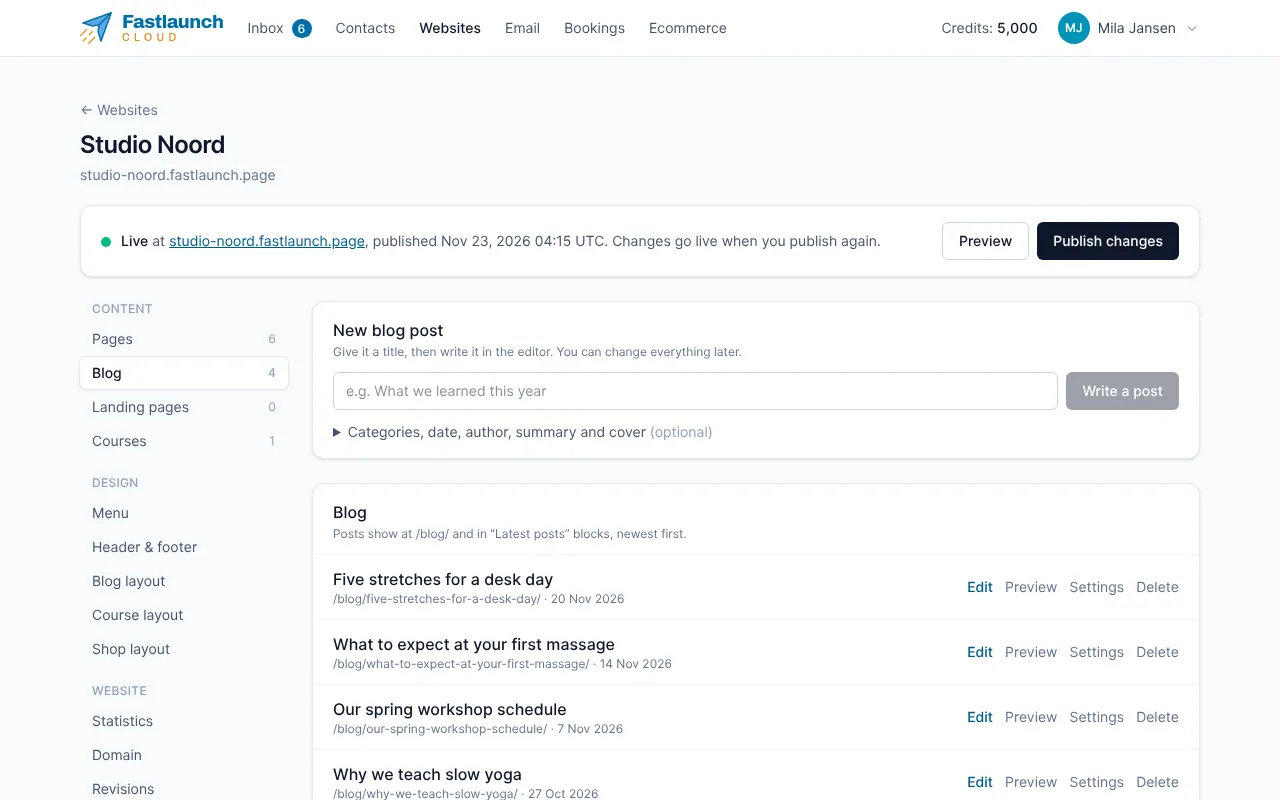
Blog
- Posts with categories
- Each category gets its own page. Posts have a date, an author, a summary and a cover.
- One design for every post
- Lay out the post page once: title, details, cover, content and links to the next post.
- Comments
- Visitors comment without an account. You approve each comment in the Inbox.
- Latest posts anywhere
- Show your newest posts on any page, or in an email.
- RSS feed
- Readers can follow the blog in their feed reader.
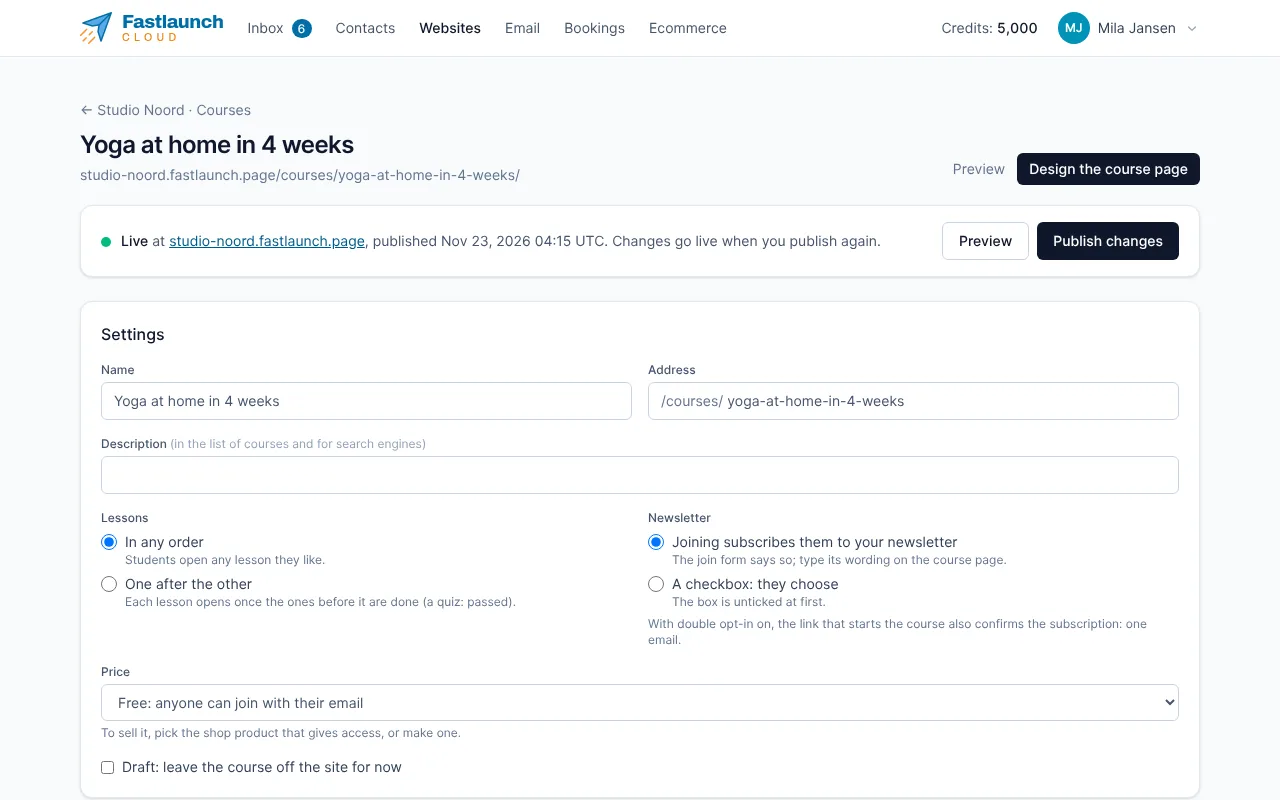
Courses and quizzes
- Online courses Blogger and up
- Lessons and quizzes in order or in any order, with progress saved for each student.
- Quizzes Blogger and up
- Multiple choice with explanations and a pass mark. The answers are never in the page.
- Paid courses Ecommerce plan
- Sell a course as a product, once or as a subscription. Paid lessons stay private.
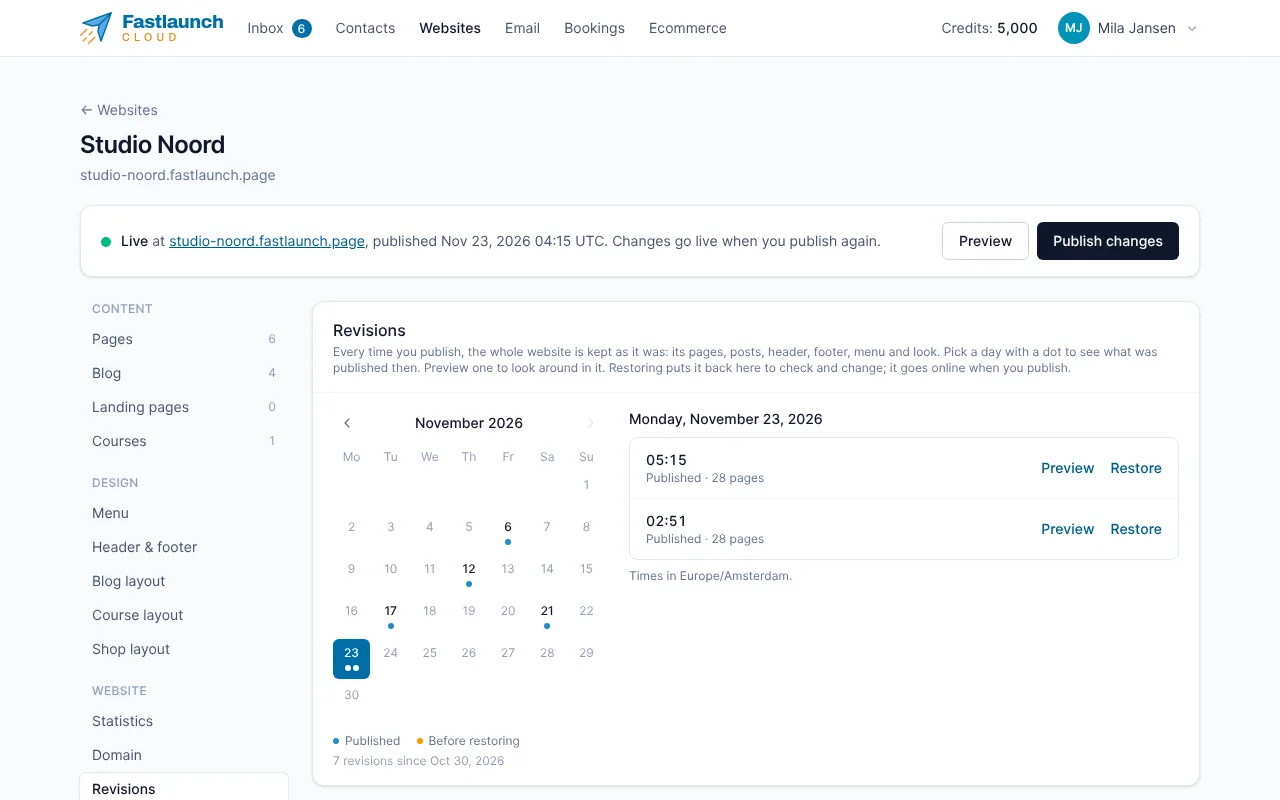
Publishing
- Live in seconds
- One click puts the whole site online. A bar tells you when there are changes still to publish.
- Every version kept
- Browse earlier versions in a calendar, preview any of them and restore it.
- Edit from your site
- An Edit button on your live pages opens that page in the builder. Only you see it.
- Moving from WordPress
- We import your posts, pages, comments and pictures for free.
Your domain
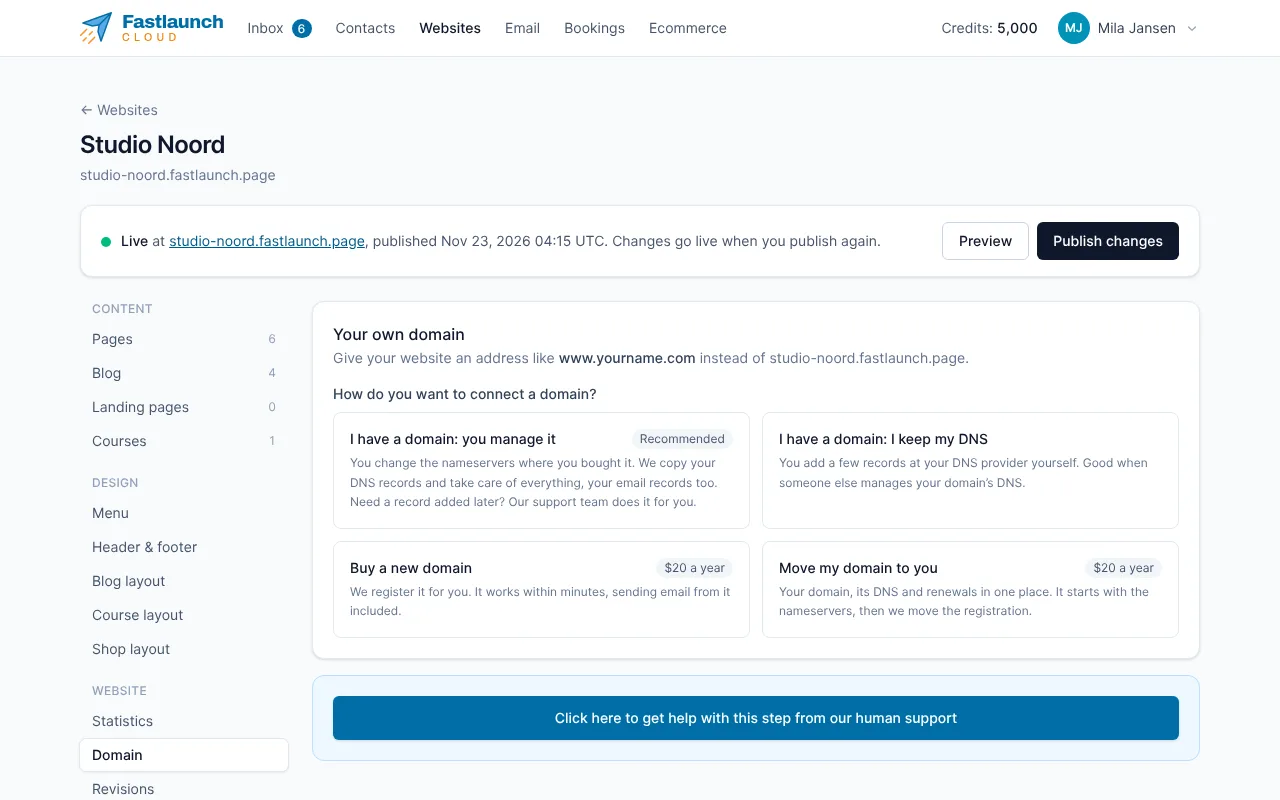
- Your own address Blogger and up
- Connect a domain you have, transfer it, or register a new one for $20 a year. Yearly plans include one.
- Free website address
- Every site also works at yourname.fastlaunch.page, with SSL.
- Redirects Blogger and up
- Send old addresses to new pages, one at a time or in bulk from a file.
Found and shared
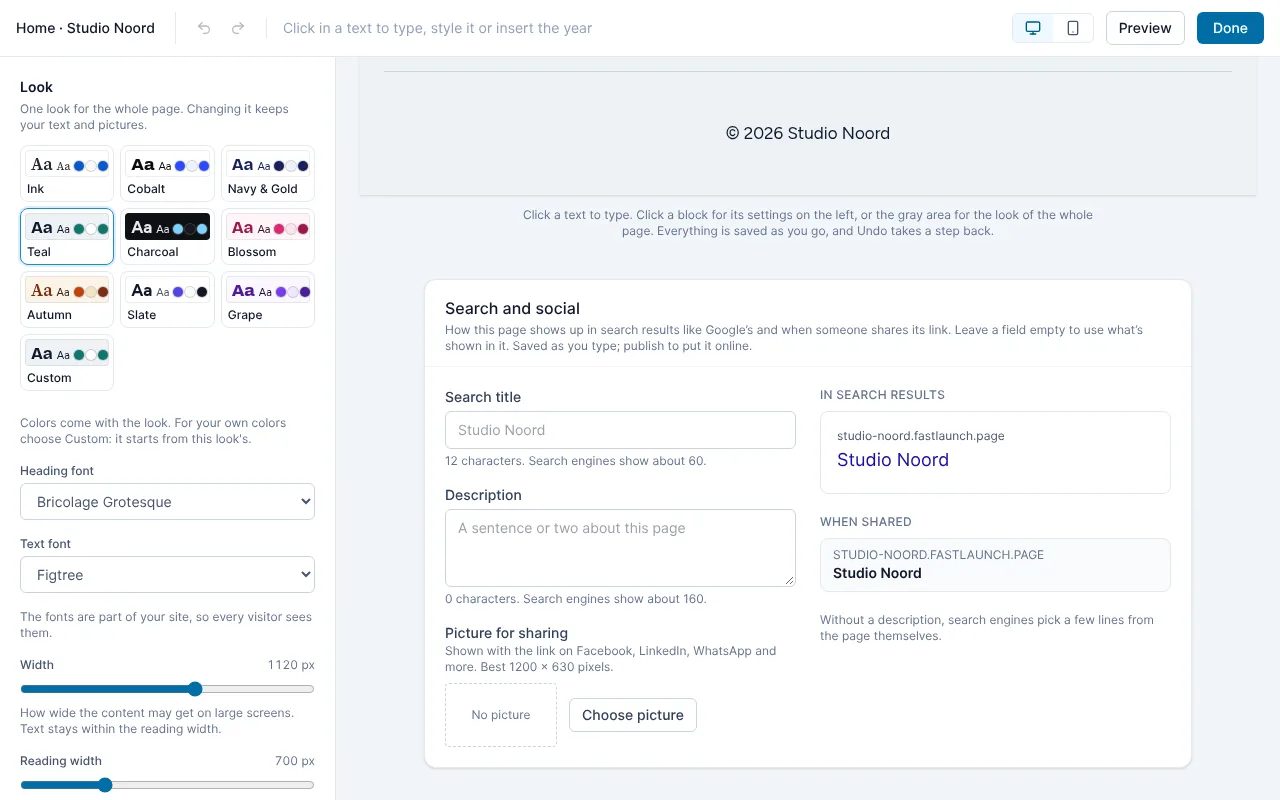
- Search and social previews
- Set each page’s search title, description and sharing picture, and see how they’ll look.
- Built for search engines
- A sitemap, structured data and fast pages, set up for you.
- Site icon
- Upload one picture: the browser tab and phone home screen icons are made from it.
Statistics
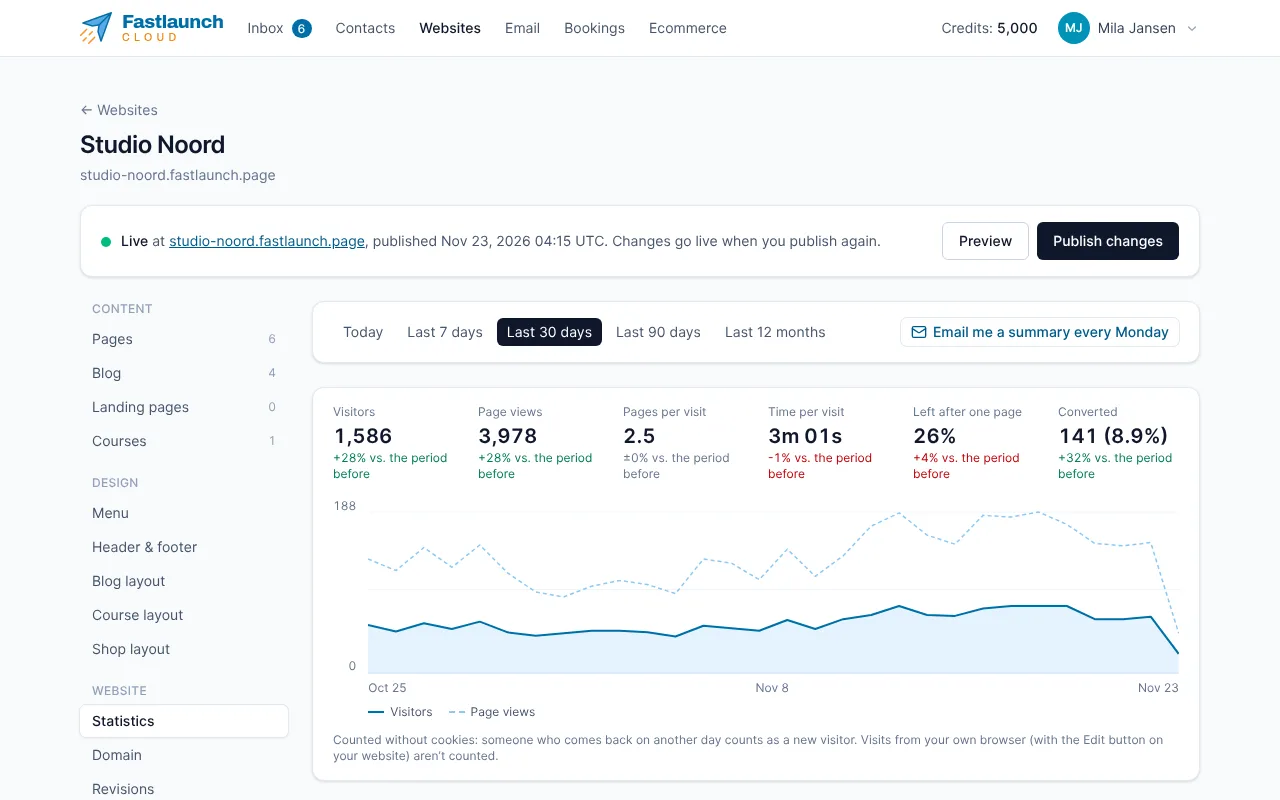
- No cookies needed
- Visitor statistics without cookies, so no consent banner for them.
- What visitors do
- Visits, sources, pages, journeys through the site, campaigns and conversions such as signups and sales.
- What to fix
- Broken links and shop searches that found nothing.
- Weekly summary
- A short email every Monday with how the week went.
Privacy
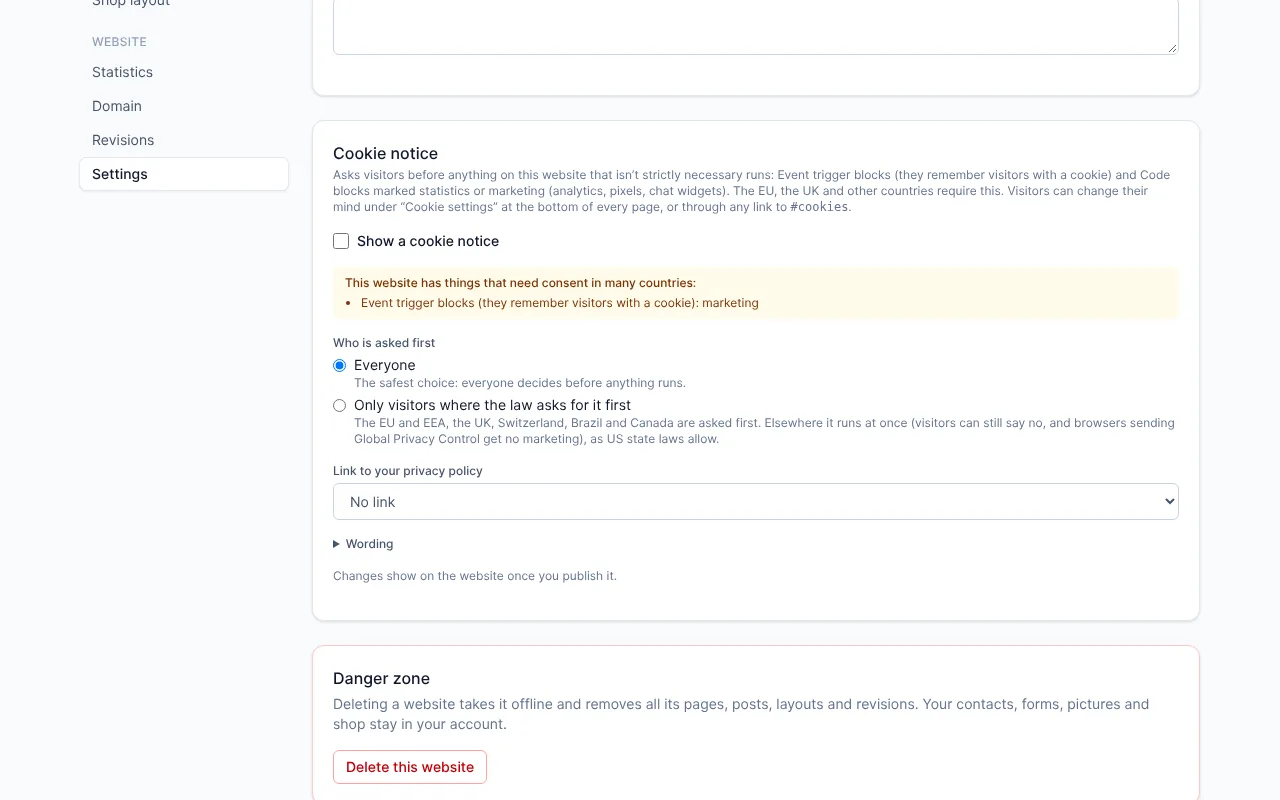
- Cookie notice
- Turn it on if your site uses cookies. Ask every visitor, or only those in countries that require it.
- Videos without tracking
- Videos from YouTube, Vimeo and others load only when a visitor presses Play.
Newsletters and emails that send themselves
Write emails in the same builder as your website. Send them to a segment, or let an automation send them at the right moment.
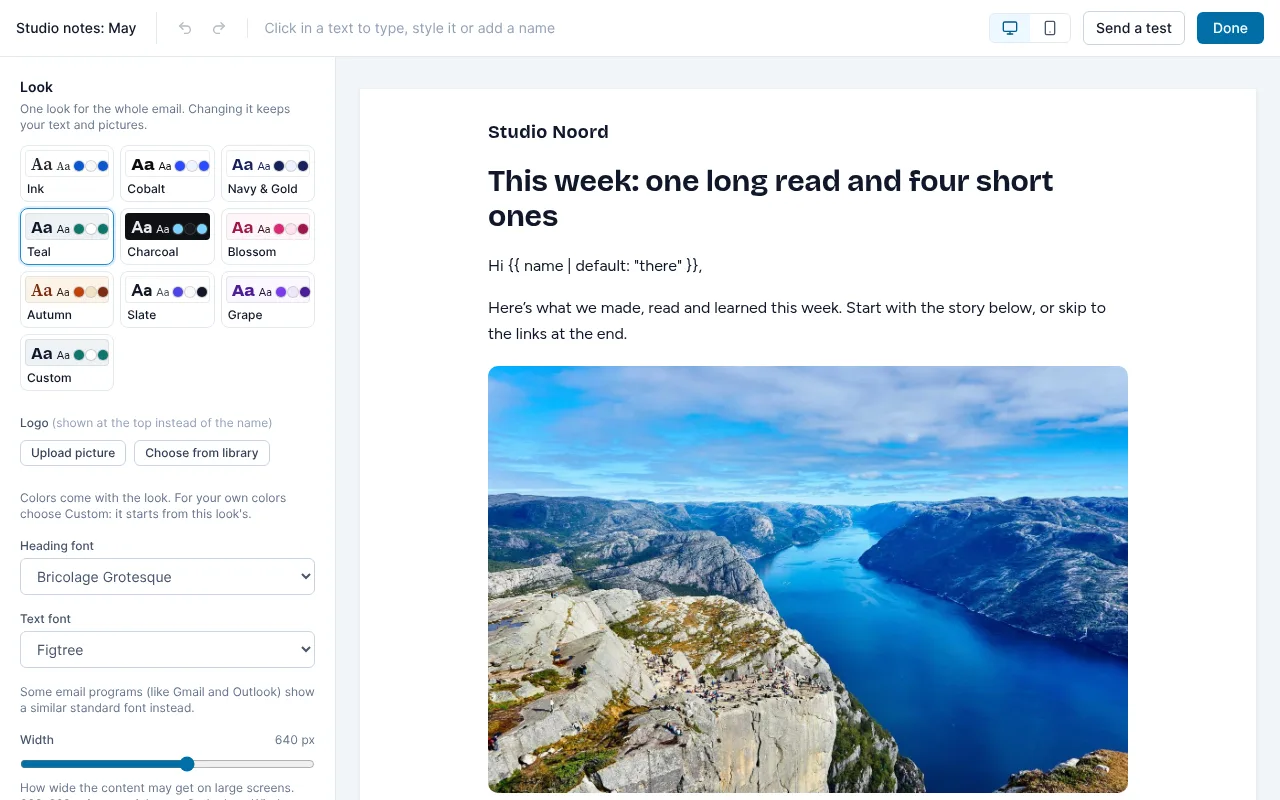
The email builder
- 5 email templates
- From a personal letter to a newsletter. Or copy one of your earlier emails.
- Your look
- The same color schemes and fonts as your website, so emails match it.
- Made for inboxes
- Emails show correctly in Gmail, Apple Mail and Outlook, on phones too.
- Personal
- Add a contact’s name or any custom field, with a fallback when it’s empty.
- Products and carts Ecommerce plan
- Show a product, or the items a contact left in their cart.
- Test sends
- Send a test to yourself with a real contact’s details filled in.
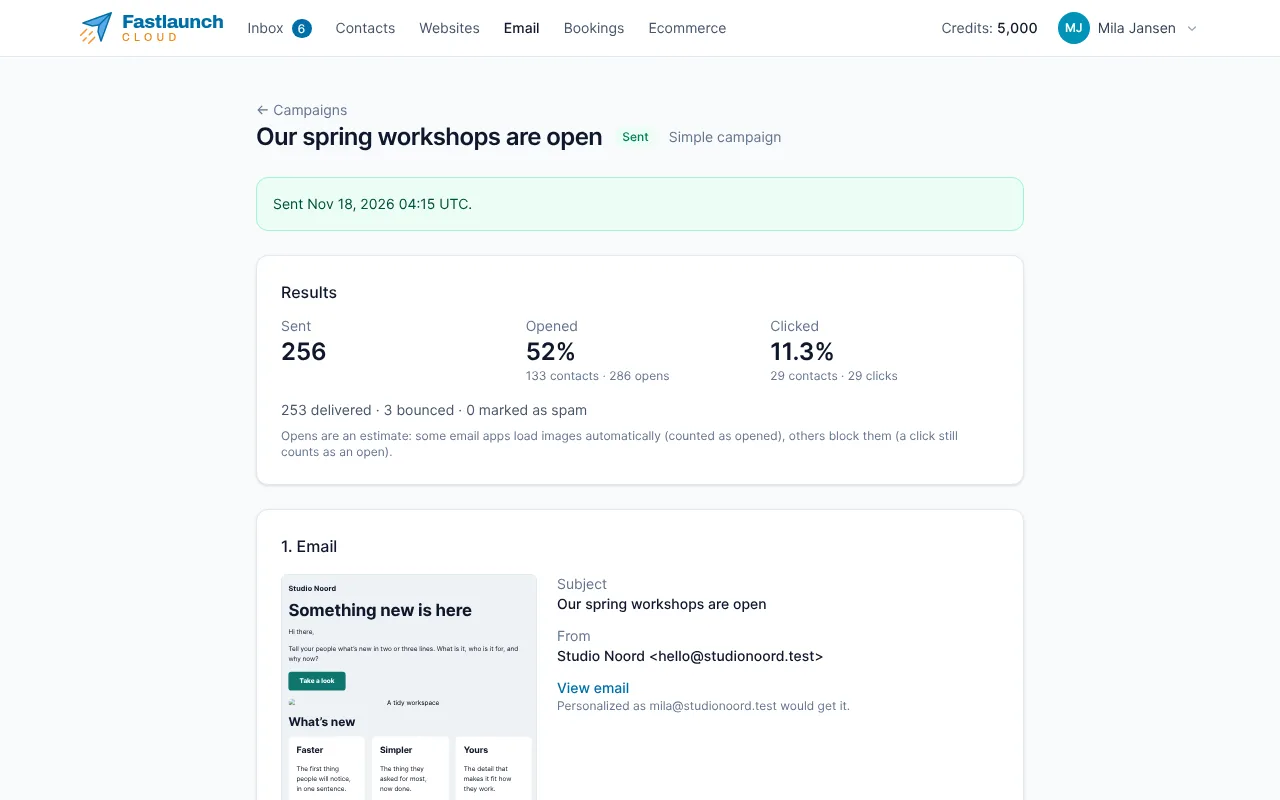
Newsletters
- To the right people
- Send to all subscribers or to a segment.
- Scheduled
- Pick a date and time, or send now.
- Results
- Opens, clicks, bounces and spam complaints for each campaign.
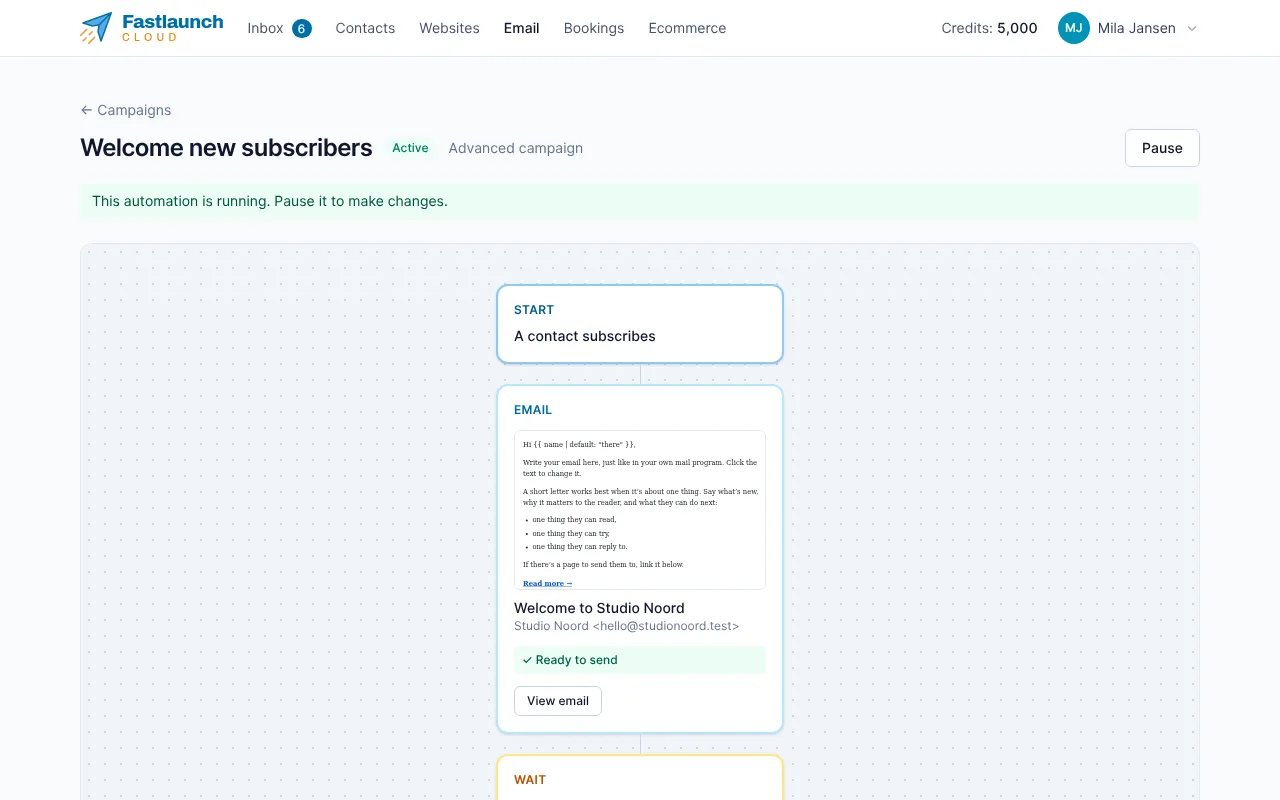
Automations
- 10 ways to start
- A signup, a tag, a segment, an order, a left cart, a booking, a message, a pipeline stage, an event or a new blog post.
- Steps you drag into place
- Emails, waits and if / else checks. A wait can last until someone opens, clicks or buys.
- Your pipeline too
- An automation step can move a contact’s deal to another stage.
- See where people are
- Each step shows how many contacts are waiting at it.
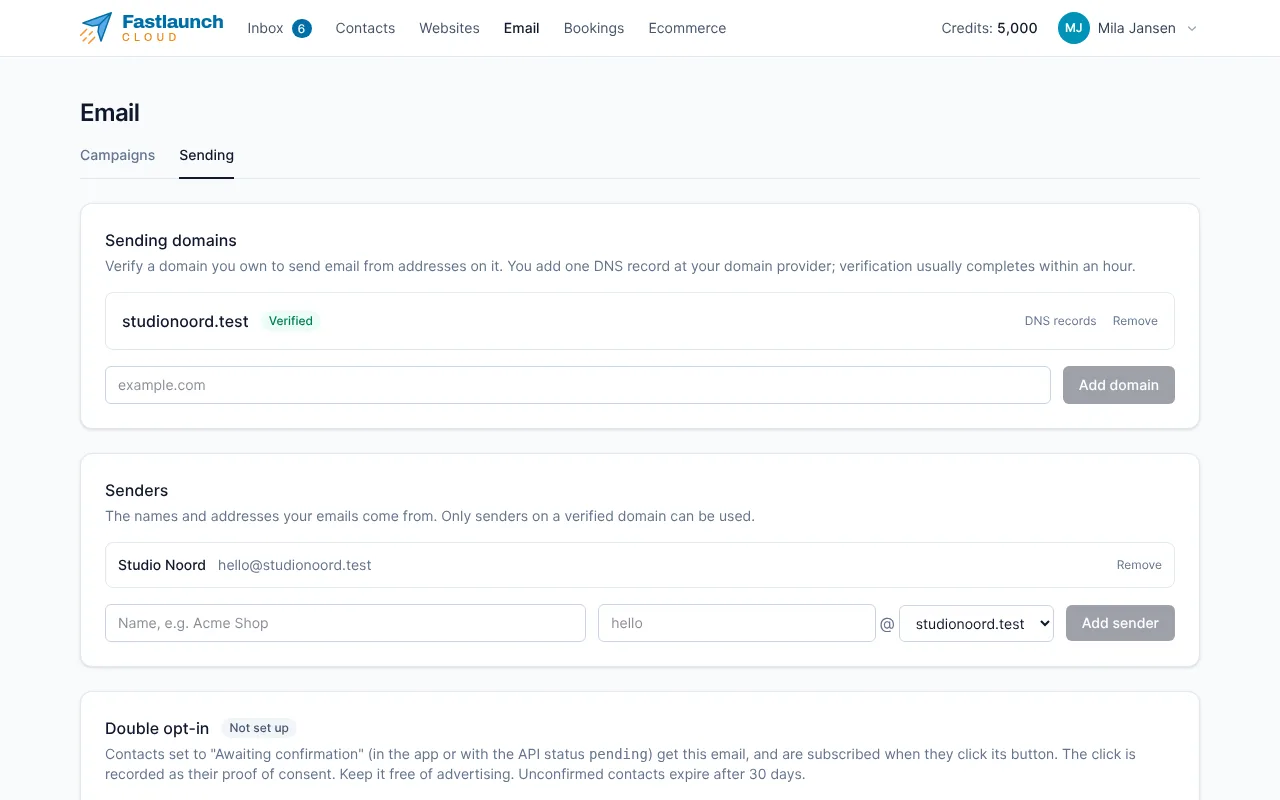
Sending
- From your own domain
- Verify your domain with one DNS record. Emails are signed, so inboxes know they come from you.
- One-click unsubscribe
- Every email has an unsubscribe link and the headers Gmail and Yahoo ask for.
- Your address in the footer
- Your postal address is added to every email, as anti-spam laws require.
- Pay per email
- One credit sends one email. Paid plans include emails every month. See credit prices.
Bookings
Let people book a time with you
Visitors see only the times you’re really free and book one. Confirmations and reminders go out by themselves.
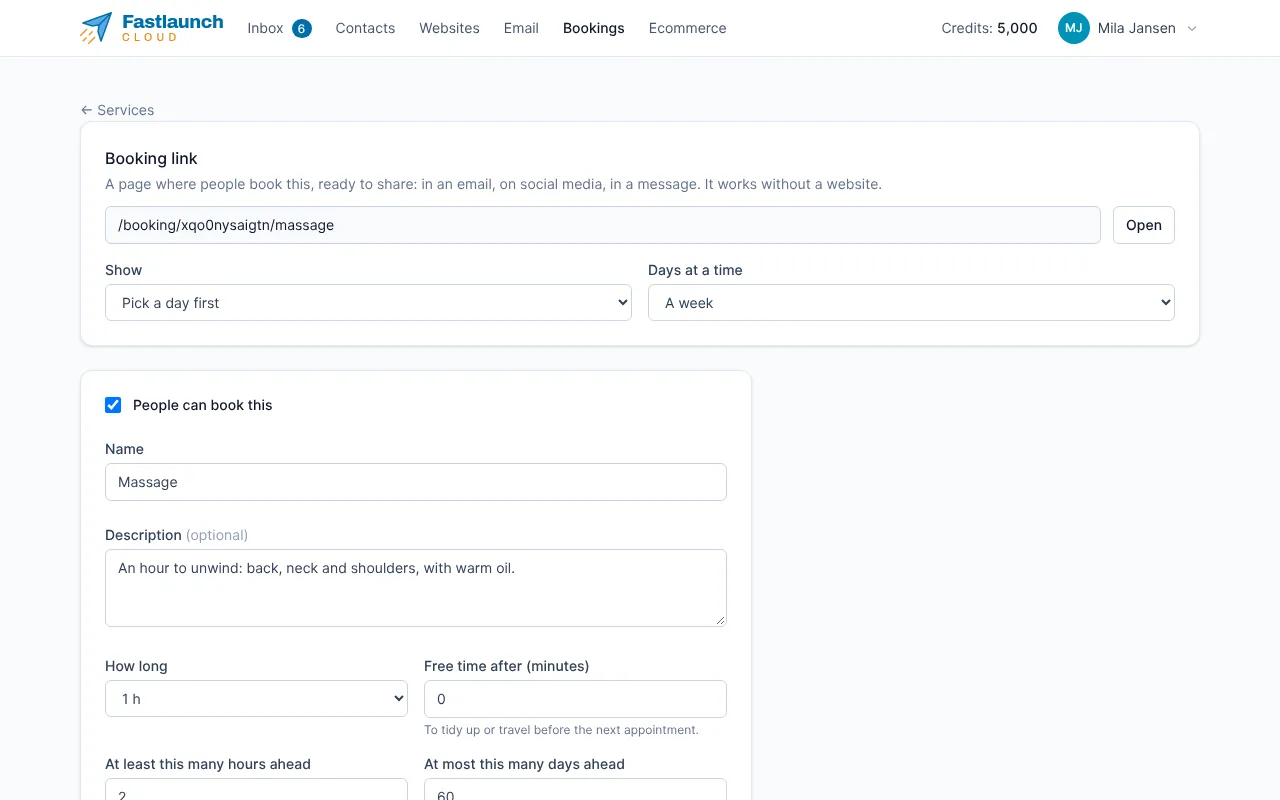
Services and hours
- Services
- Each with its own length, free time after it, minimum notice, location and price.
- Your team
- Choose who does each service. A booking goes to the person who’s free and least busy.
- Working hours and time off
- Set hours per person and weekday, and block whole days off.
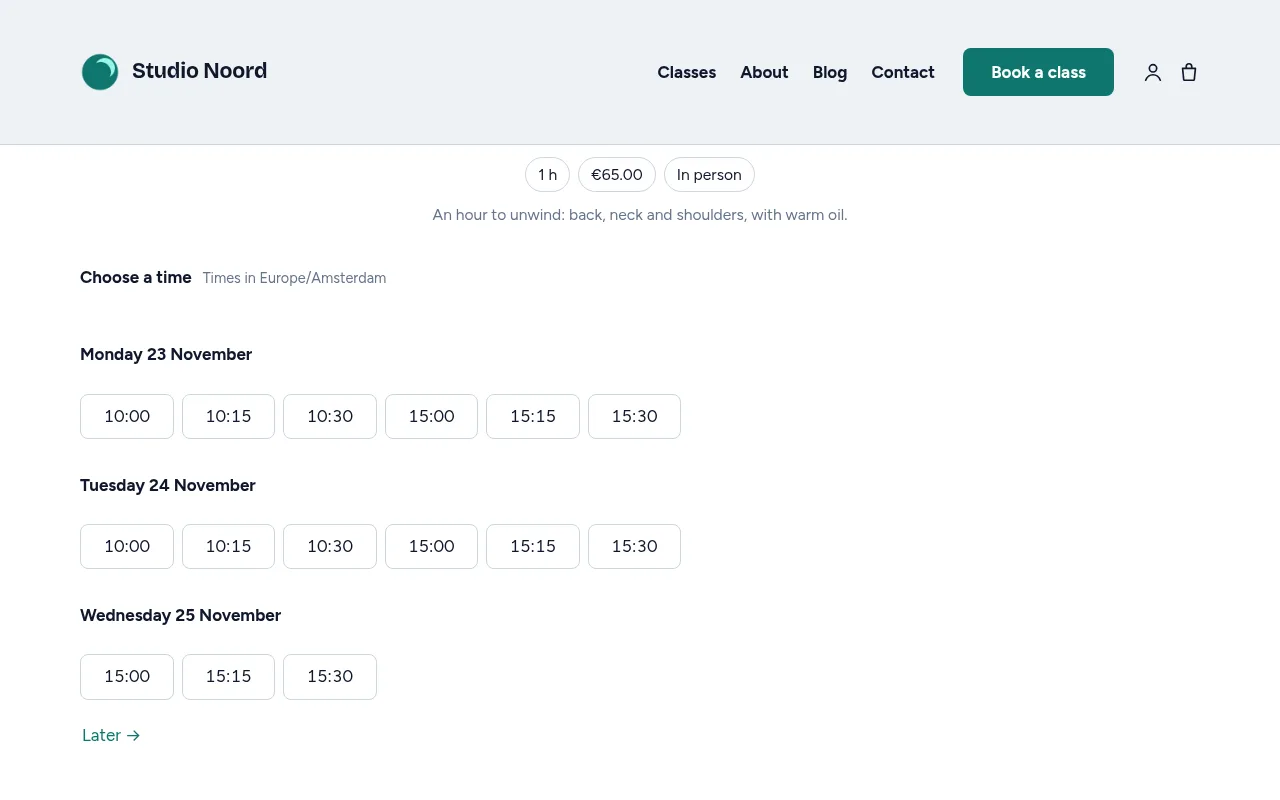
Booking
- On your website
- Add a booking block to any page. Visitors see a list of times, or pick a day first.
- A booking page per service
- Share its link anywhere, in your website’s look.
- Google Calendar
- Busy times in your calendar can’t be booked, and bookings appear in it. Moving one there moves the booking.
- Paid bookings Ecommerce plan
- Take the full price or a deposit when people book, paid into your own Stripe account.
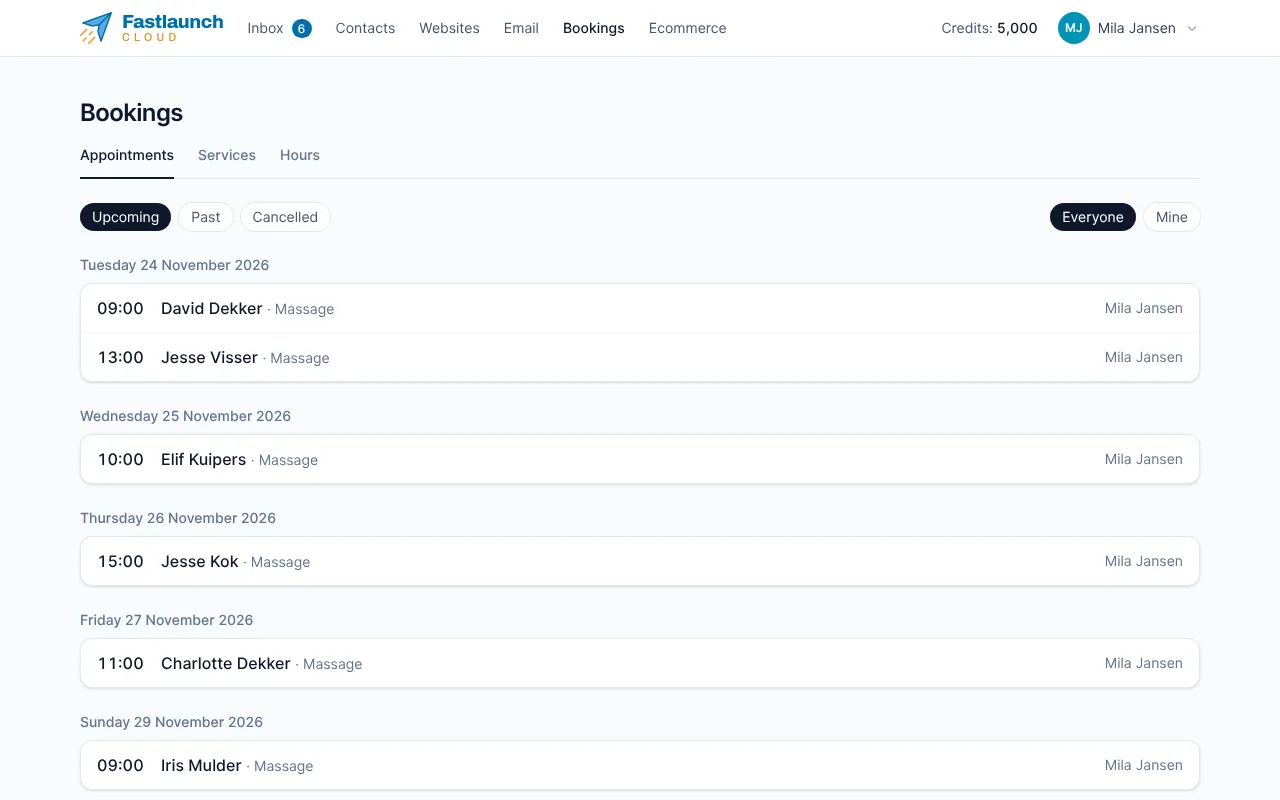
After booking
- Emails in your name
- A confirmation, a reminder before the appointment and a link to add it to their calendar.
- Changes by visitors
- Visitors move or cancel their own booking until a deadline you set.
- Follow-up
- Start an automation or move a deal when someone books.
Ecommerce
An online shop, paid straight to you
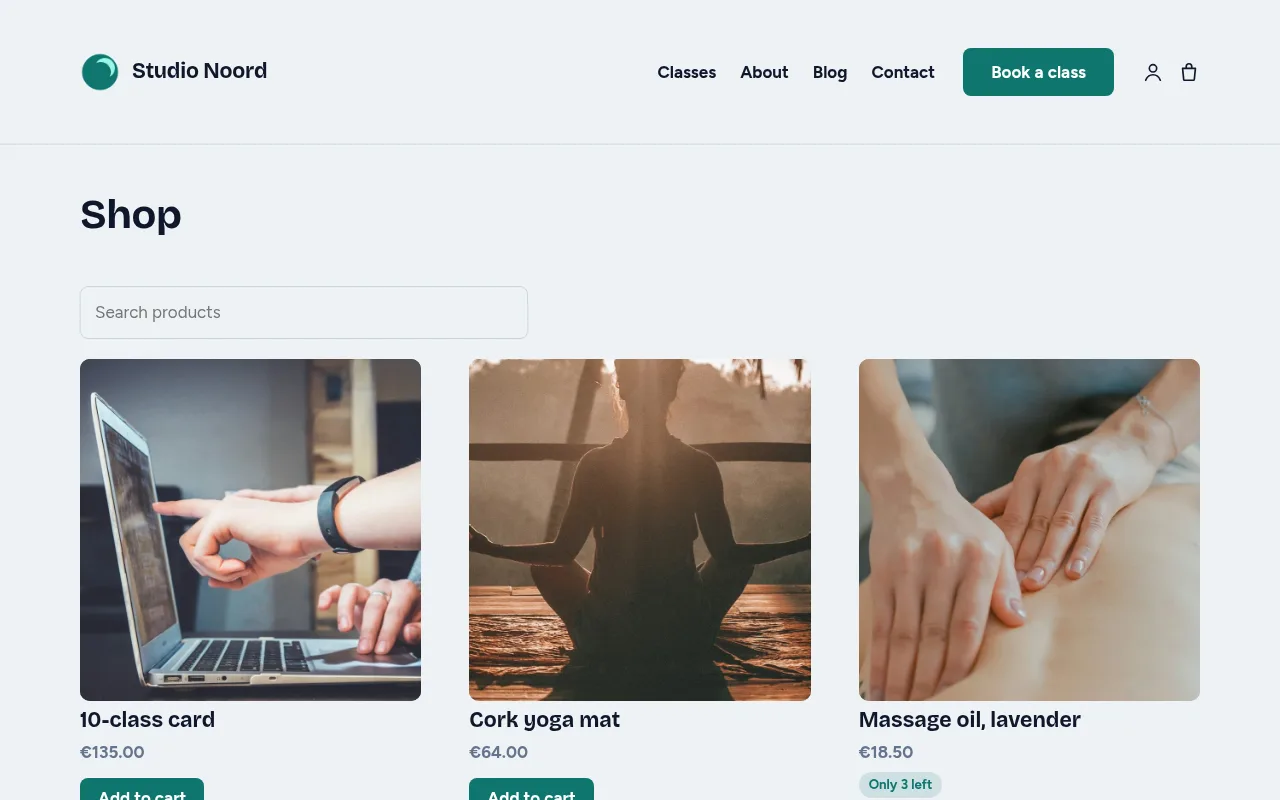
Sell physical products, downloads and subscriptions on your website. Buyers pay into your own Stripe account, and we take no commission.
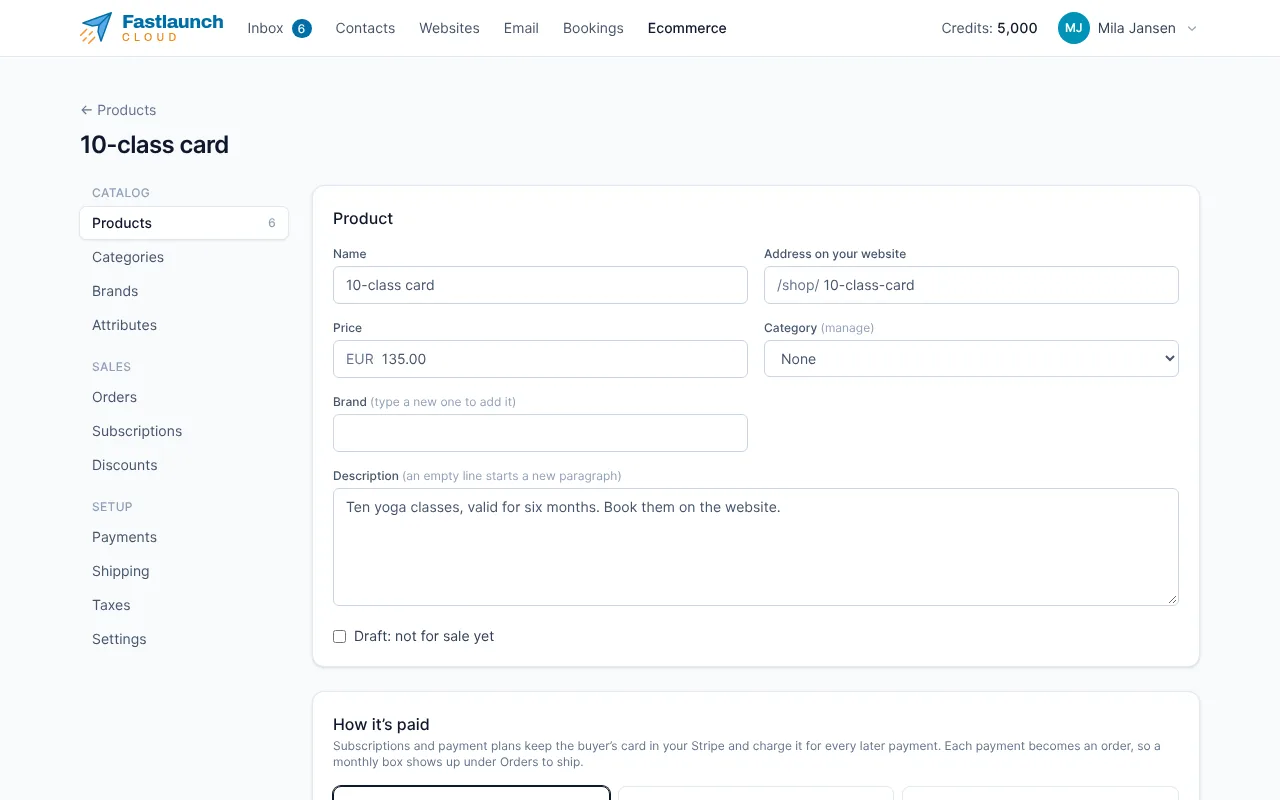
Products
- Variants Ecommerce plan
- Up to three options, such as size and color, and 100 combinations, each with its own price, stock and picture.
- Categories, brands and attributes Ecommerce plan
- Each category and brand gets its own page in your shop.
- Stock Ecommerce plan
- Count stock or not. Low stock and sold-out products are marked on your site.
- Google Shopping Ecommerce plan
- A product feed for Google Merchant Center, updated each time you publish.
Selling
- Cart and checkout Ecommerce plan
- A cart that works on every device, with fast search through thousands of products.
- Discounts Ecommerce plan
- Percentage or amount off, with a minimum order, dates and a use limit.
- Shipping Ecommerce plan
- Zones and rates by weight, free shipping above an amount, and pickup.
- Taxes Ecommerce plan
- Ready-made rates for the EU, US states, Canada and more. EU business buyers are checked for reverse charge.
- Downloads Ecommerce plan
- Sell files. Buyers get a download link after paying.
- Subscriptions and payment plans Ecommerce plan
- Charge every week, month or year, or split a price into payments. Free trials too.
- Best sellers and suggestions Ecommerce plan
- Show best sellers, trending products or products often bought together.
Orders
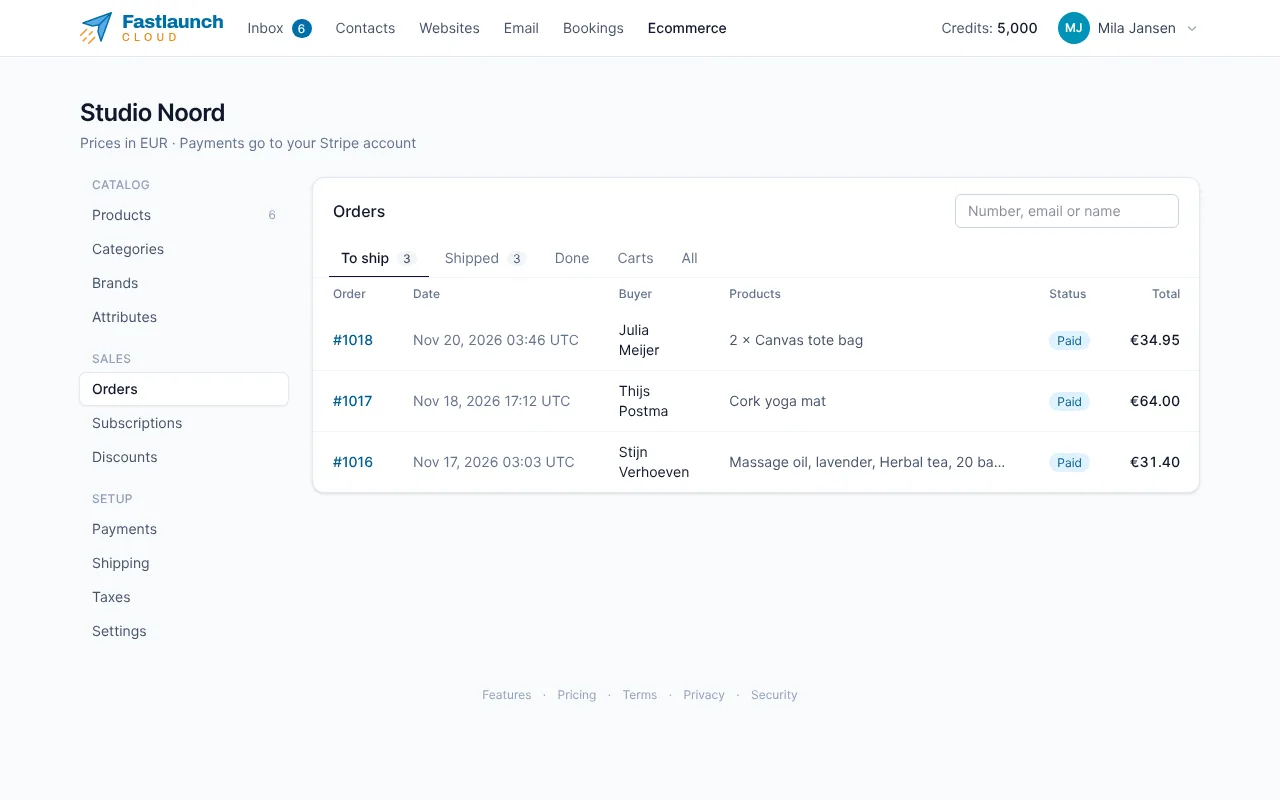
- Ship, refund, cancel Ecommerce plan
- Add tracking, refund all or part, and email the buyer in one step.
- Invoices and packing slips Ecommerce plan
- Printable invoices with the tax per rate, and slips for packing.
- Buyer accounts Ecommerce plan
- Buyers sign in with an email link to see their orders, buy again and save addresses.
- Left carts Ecommerce plan
- Email people who left items in their cart. One click brings the cart back.
In every account
A team
Invite people with roles: admin, marketing, sales, website editor, shop manager or order picker. Each sees only their part.
Free migration
We move your current website and email list over for you, on every plan.
Stored in the EU
Your data and your contacts’ data stay in Europe. We never sell it.
Support from a person
Email or chat with a real person, on every plan.
Start free today
Build your website and your list on the free plan. Upgrade when you need your own domain or a shop.